'%3E%3C/circle%3E%3C/g%3E%3C/svg%3E)
HTML/CSS styling
Below are examples of how to create the following styles: ODI colour blocks, a single colour block, image grid, image in a blog post, tables, quote blocks, styled list of files, text on an image, YouTube (non-embed), carousel, a button.
ODI colour blocks
Across the site we use grids of coloured blocks. In a full-width page these will appear in a 3 column layout. Within a <div id="left"></div> block they will be in a 2 column layout. Either way, they are responsive so the number of columns adapts to the container/page width.
Example 1
Example 2
Example 3
Example 4
Example 5 - a 2 column block
Example 6 - a 3 column block
Example 7 - a 2 row block
These aren't hugely intelligent so things following it will always sit on its right. That means that if it isn't in the left-most column you'll get left with gaps in the grid.
Example 8
Example 9
Example 10
Example 11
A single colour block
Say we want to create a coloured block of text, we apply the appropriate colour code and add the class padded to make sure there is some appropriate padding.
Image grid
If you have a bunch of images to show, you can adapt the grid style above.
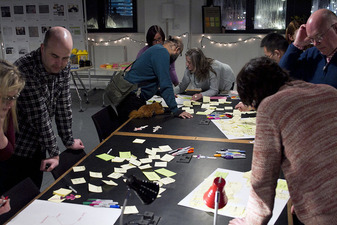
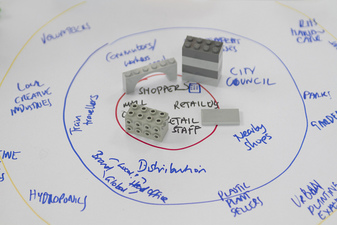
Image in a blog post
When you include an image in a blog post, it is best to mark it up semantically with a caption. We make use of HTML <figure> and <figcaption> to do this.

Credit: ODI Leeds (visual); WYCA (data)
Tables
Create a standard ODI table.
| Column 1 | Column 2 | Column 3 |
|---|---|---|
| A | B | C |
| X | Y | Z |
Quote blocks
Here is a quote
A styled file list
Text on an image
There are times when you might want to place text on top of a complicated background which will make it hard to read. We have two styles strip-white and strip-black depending on which you'd prefer.
Some text with a black background
A button
There are times when you want a feature that is a button. HTML gives us a <button> element for that! There may be times when you have a link that wants to be a button. For that just add the class button to it.
YouTube non-embed
Adding a YouTube video as an embed is easy. However, that potentially means YouTube sets cookies when people visit our pages. So, we have an alternative that doesn't actually embed the video but links to the embed version. Make sure to add ?autoplay=true to the embed link so that the video plays when people click the link.
Carousel
If you need to insert a single carousel on a page we use tiny slider with our own styling. Make sure to include the CSS and Javascript in the top of the page.